
 By
By 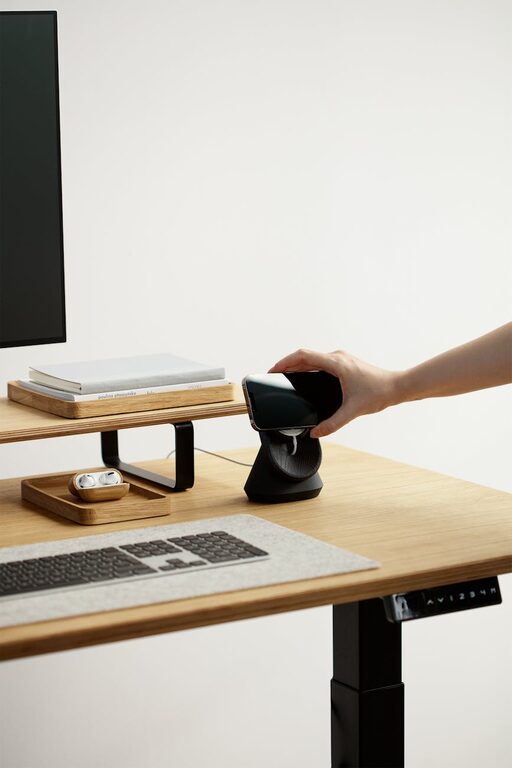
Working from home has become a common part of many people’s lives. Whether you’re a freelancer, remote employee, or someone who occasionally catches up on tasks, having a well-organised and productive home office space is essential. A cluttered or poorly designed workspace can lead to distractions and decreased efficiency. Conversely, a tidy, thoughtfully laid out office can help you stay focused and motivated throughout your workday.
In this post, we’ll explore practical tips to create a home office that supports your productivity while maintaining an organised and pleasant environment.
—
1. Choose the Right Location
Natural Light Is Key
Select a spot with plenty of natural light if possible. Position your desk near a window to improve mood and reduce eye strain. Natural light helps regulate your body clock and can keep you alert.
Minimise Noise and Distractions
Look for a quiet area that is separate from household noise and interruptions. If that’s not possible, consider noise-cancelling headphones or white noise machines to maintain focus.
—
2. Invest in Functional Furniture
Ergonomic Chair and Desk
Prioritise ergonomics to stay comfortable during long working hours. Choose a chair that supports your lower back and a desk at the right height for typing and writing.
Storage Solutions
Use desks with built-in drawers or pair your workspace with shelves, filing cabinets, or baskets to keep supplies and documents organised yet accessible.
—
3. Declutter Your Workspace Regularly
Keep Only Essentials on Your Desk
Limit desktop items to what you need daily—such as your computer, notebook, and stationery—to reduce visual clutter and distractions.
Establish a Filing System
Create a straightforward filing system for paperwork. This could be physical with labelled folders or digital using cloud storage, whichever suits your workflow best.
—
4. Utilise Smart Organisational Tools
Desk Organisers and Cable Management
Desk organisers help keep pens, paperclips, and other small items in order. Use cable organisers or clips to prevent cords from tangling and creating mess.
Digital Organisation Apps
Apps like calendars, task managers, and note-taking software can help manage your workload efficiently. Keep digital files well-named and organised into folders.
—
5. Personalise Your Space Mindfully
Add Plants or Artwork
A few well-chosen personal touches, such as small plants or artwork, can make your workspace more inviting without overcrowding it.
Maintain a Neutral Base
Keep your office colour scheme soft and calming, such as whites, greys, or pastels, to help maintain focus while allowing accents to add personality.
—
6. Optimise Lighting and Screen Setup
Use Multiple Light Sources
In addition to natural light, combine overhead lighting with desk lamps to reduce shadows and eye strain. Adjustable lighting can help in changing environments.
Position Your Screen Correctly
Place your computer screen at eye level and about an arm’s length away. This setup improves posture and reduces neck and eye fatigue.
—
7. Schedule Regular Breaks to Stay Productive
Frequent short breaks help maintain concentration and prevent burnout. Use timers or apps to remind you to stretch, hydrate, or briefly step away from your desk.
—
8. Keep Cables and Equipment Tidy
Bundle cables behind desks and use clips to avoid tangled wiring. Regularly clean your electronic devices to minimise dust and maintain optimal performance.
—
Summary
Creating an organised and productive home office doesn’t require a large budget or space. By selecting a suitable location, investing in ergonomic furniture, decluttering your desk regularly, and using smart organisational tools, you can enjoy a workspace that supports your best work. Adding a few personal touches and maintaining good lighting and screen positioning will further enhance your comfort and focus.
With these straightforward tips, your home office can become a place where you not only get things done but also enjoy spending time. Happy organising!